Airport Weather / METAR
JBalloonNav can display current weather conditions from nearby airports using METAR data.
Viewing Weather
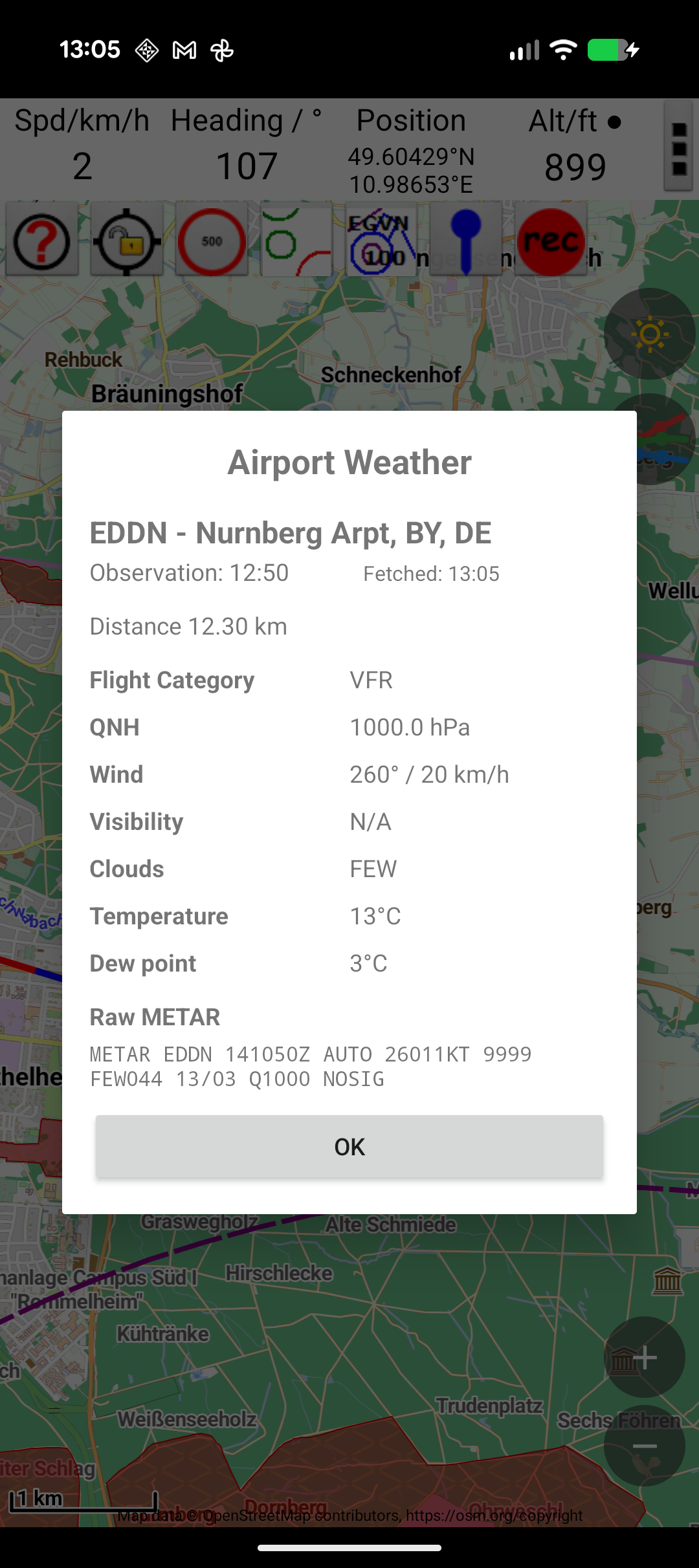
Tap the weather button (sun icon) in the top-right corner of the map to open the weather dialog. This shows:
- Temperature — current surface temperature
- Pressure — atmospheric pressure (QNH)
- Wind — wind speed and direction at the reporting station
- Conditions — cloud cover, visibility, and other METAR-reported data
Data Source
Weather data is fetched from the Aviation Weather Center (aviationweather.gov) based on the nearest airport to your current position or the map centre.
API Quota
Weather data fetches count against a daily API quota. The remaining number of API calls for the day is shown in Settings → Weather → API Calls Remaining.
Tip
The weather data can auto-populate your QNH setting for barometric altitude. See QNH Settings.