Display Settings
Access via ☰ Menu → Settings.
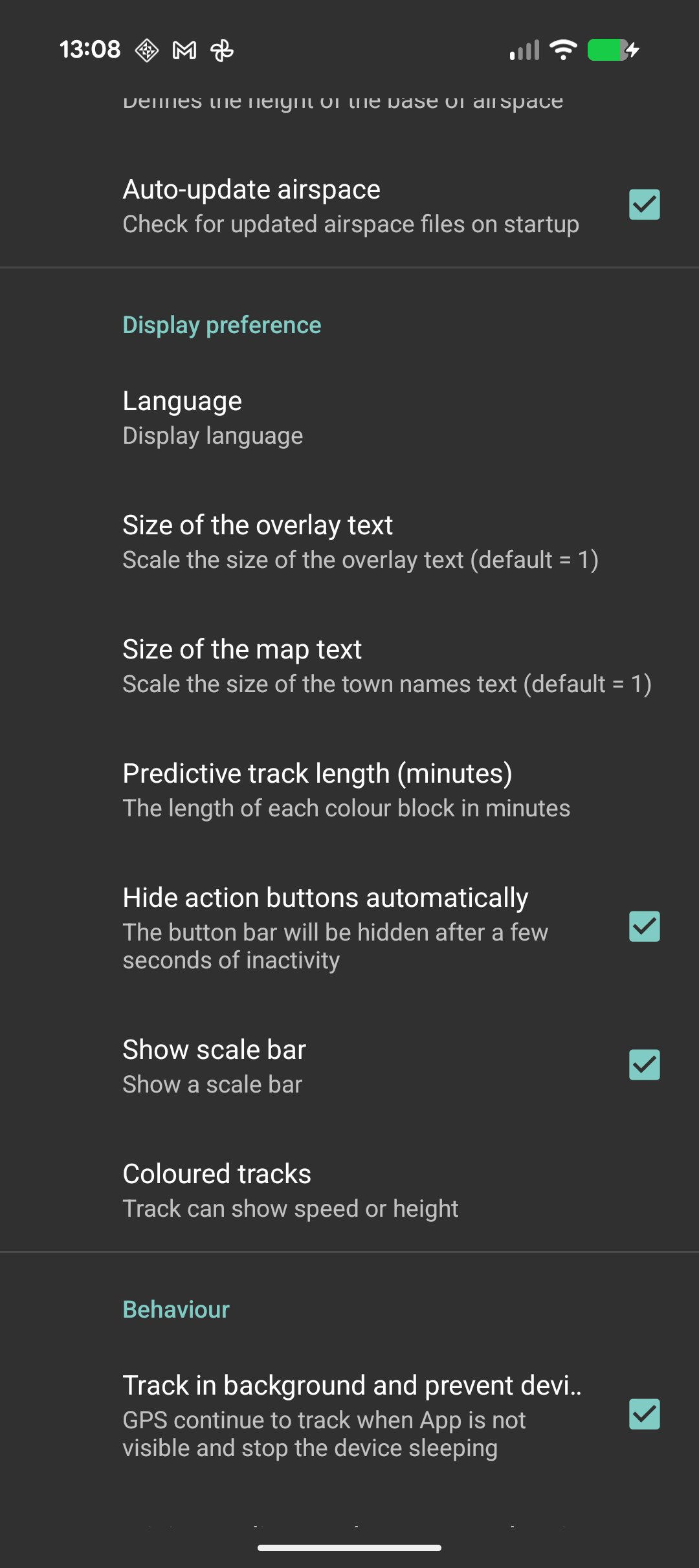
| Setting | Options | Default | Description |
|---|---|---|---|
| Height Unit | Feet, Metres | Feet | Unit for altitude display throughout the app |
| Distance Unit | Kilometres, Miles, Nautical Miles, Mixed | Kilometres | Unit for distance display. "Mixed" uses nautical miles for speed and kilometres for distance |
| Position Unit | Degrees, Deg-Min-Sec, UTM, British National Grid | Degrees | Coordinate format for position display |
| Overlay Text Size | 0.5 – 3.0 | 1.0 | Scale factor for status bar text and overlay information |
| Map Text Size | 0.5 – 3.0 | 1.0 | Scale factor for map labels (town names, road labels) |
| Language | English, German, French, System Default | System Default | UI language. System Default follows your device language setting |
| Keep Screen On | On / Off | Off | Prevents the screen from turning off while the app is open |
| Hide Action Buttons | On / Off | Off | Auto-hide the button bar when not in use |