Creating Areas & Circles
User-defined areas let you mark locations on the map that aren't part of the standard airspace data. Common uses include:
- Competition zones — scoring areas, limited scoring zones (e.g., Gordon Bennett races)
- Sensitive areas — livestock, restricted land, hostile landowners
- Personal landmarks — launch sites, landing fields, club areas
Creating a Circle
- Tap ☰ Menu → User Area
- Select "Add Circle"
- Tap the map to set the centre point, or enter coordinates manually
- Set the radius
- Enter a name and optional description
Creating a Polygon
- Tap ☰ Menu → User Area
- Select "Add Area"
- Tap points on the map to define the boundary vertices
- Close the polygon
- Enter a name and optional description
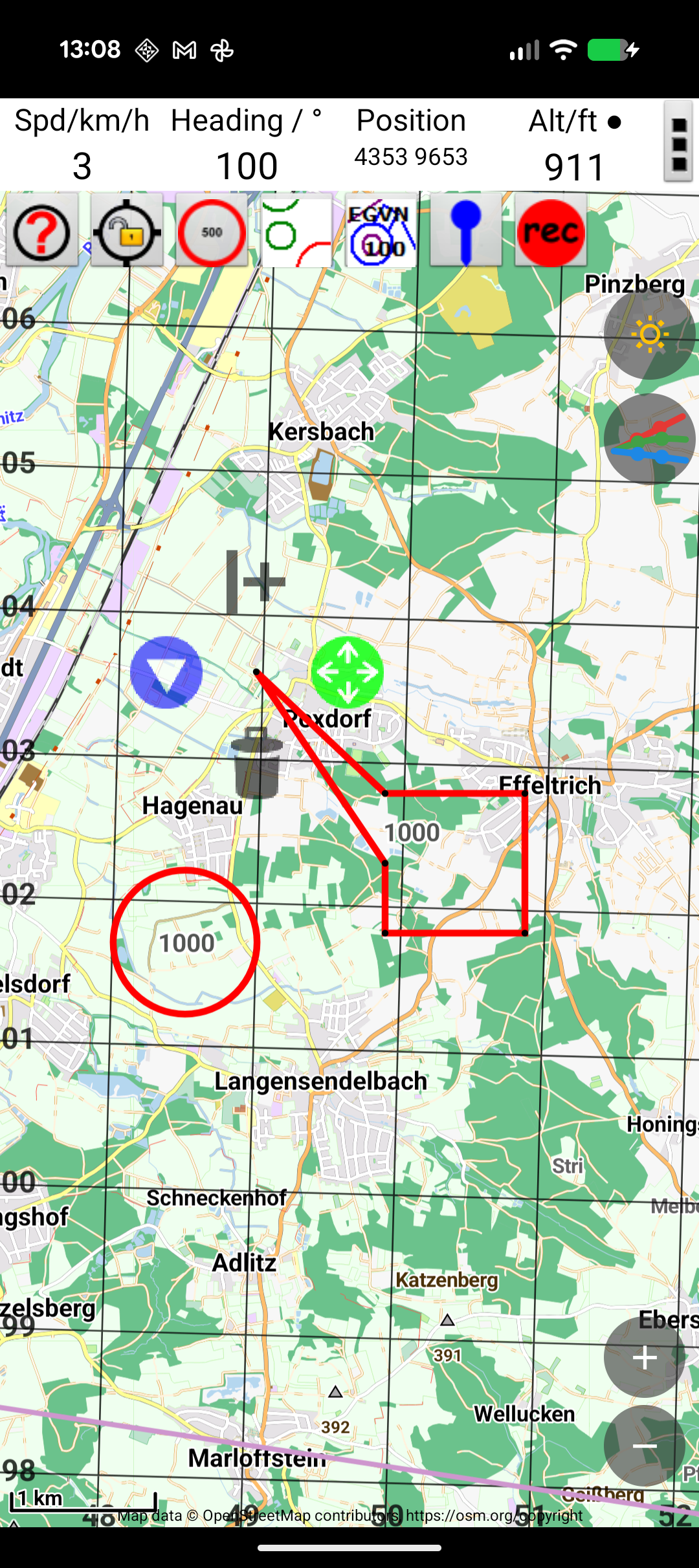
Appearance
You can customise each area's appearance:
- Colour — choose a colour for the boundary and fill
- Transparency — make the fill semi-transparent to see the map underneath
- Line style — solid or dashed outline